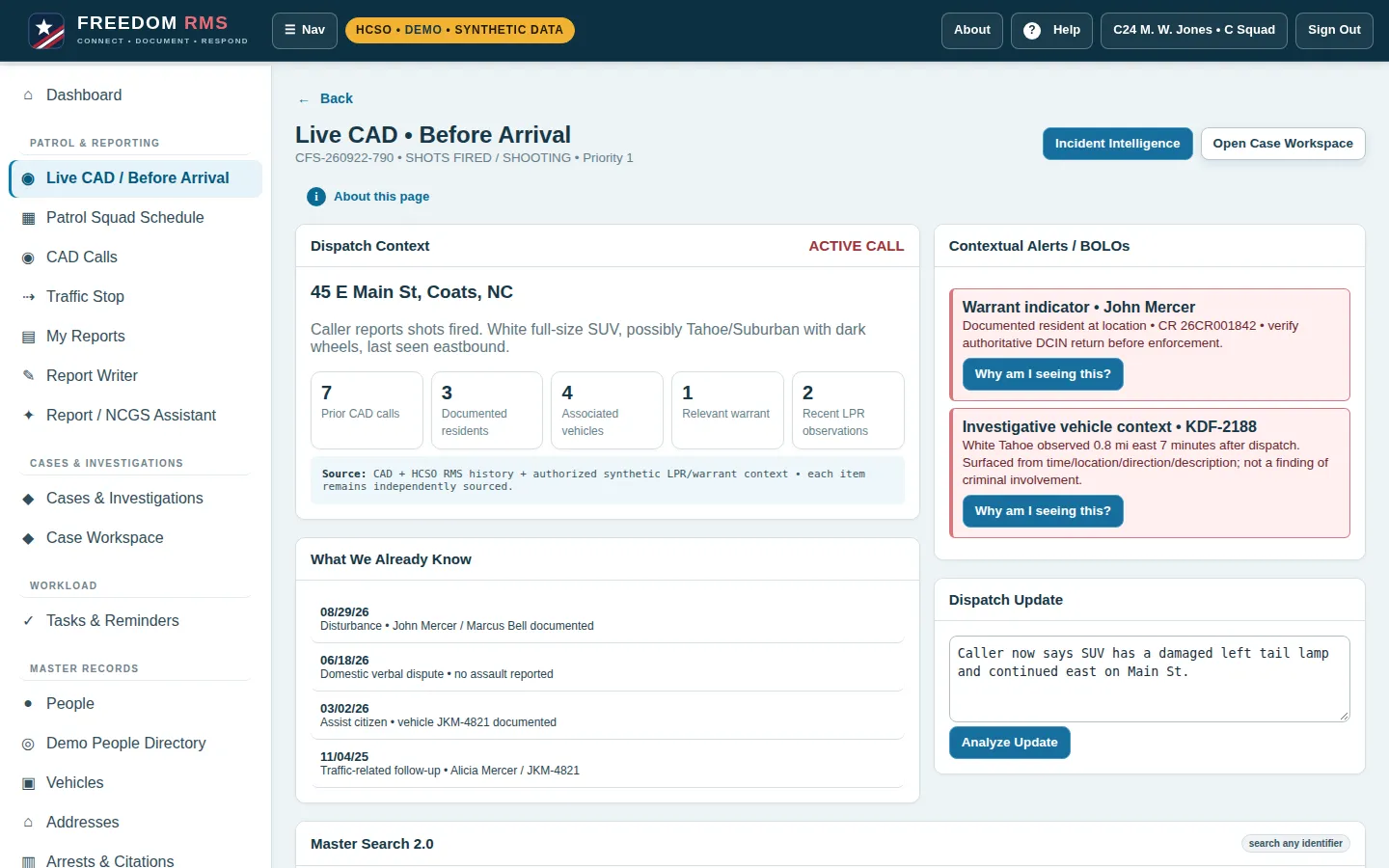
Before-arrival context
Prior calls, known residents, vehicles and alerts for the address — each item labeled with its source.
Records management for sheriff's offices
Freedom RMS puts CAD context, report writing, supervisor review, cases and evidence in one place. Command sees the whole workload. Deputies spend less time re-typing and more time on the road.
Interactive demo • Harnett County Sheriff's Office sample agency • synthetic data only
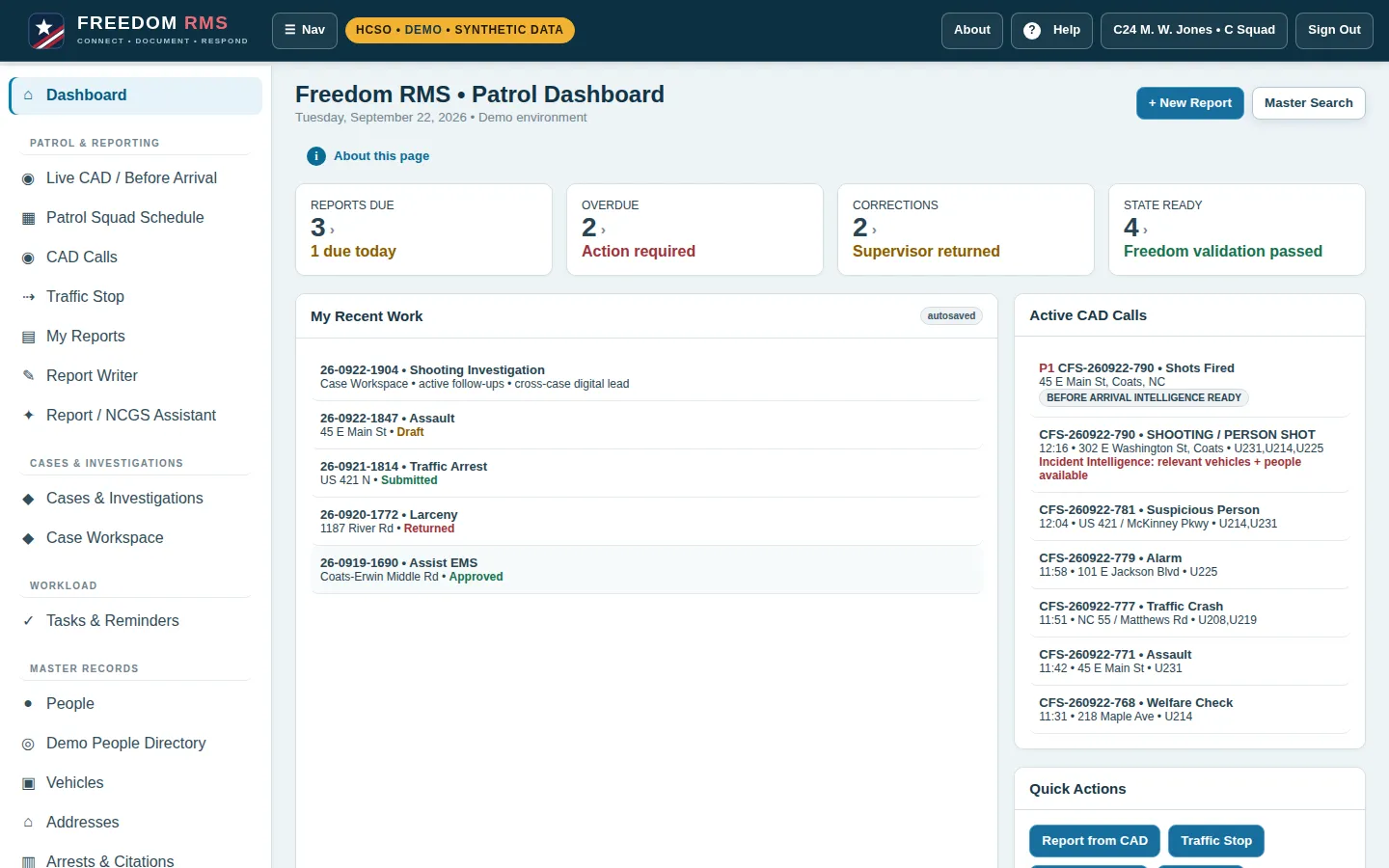
For sheriffs & command staff
Freedom RMS is built around the questions command asks every week: what is late, what came back, who is short-staffed, and can we defend the record.
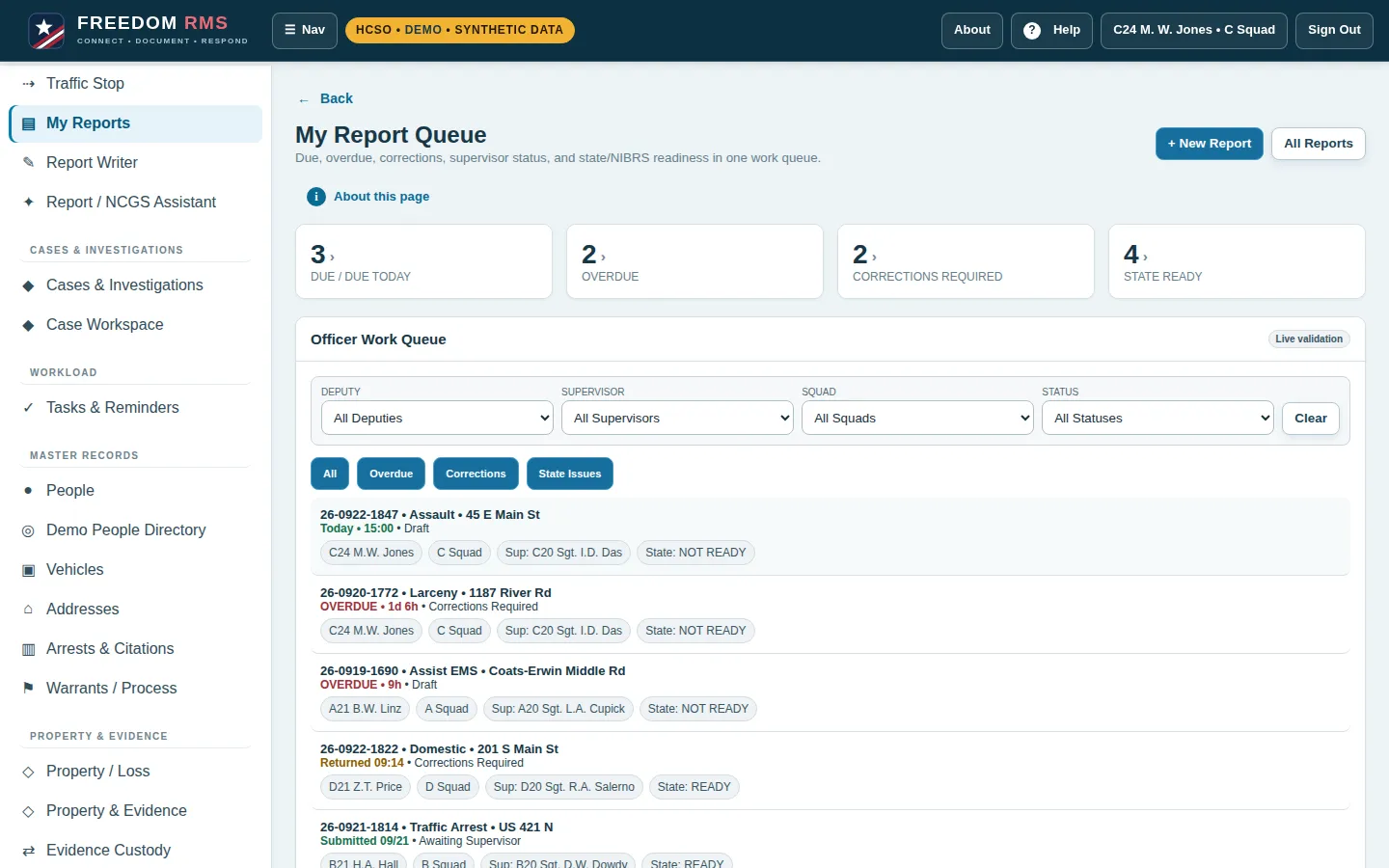
Due, overdue, returned and state-ready counts for every deputy and squad, with one click into the actual reports.
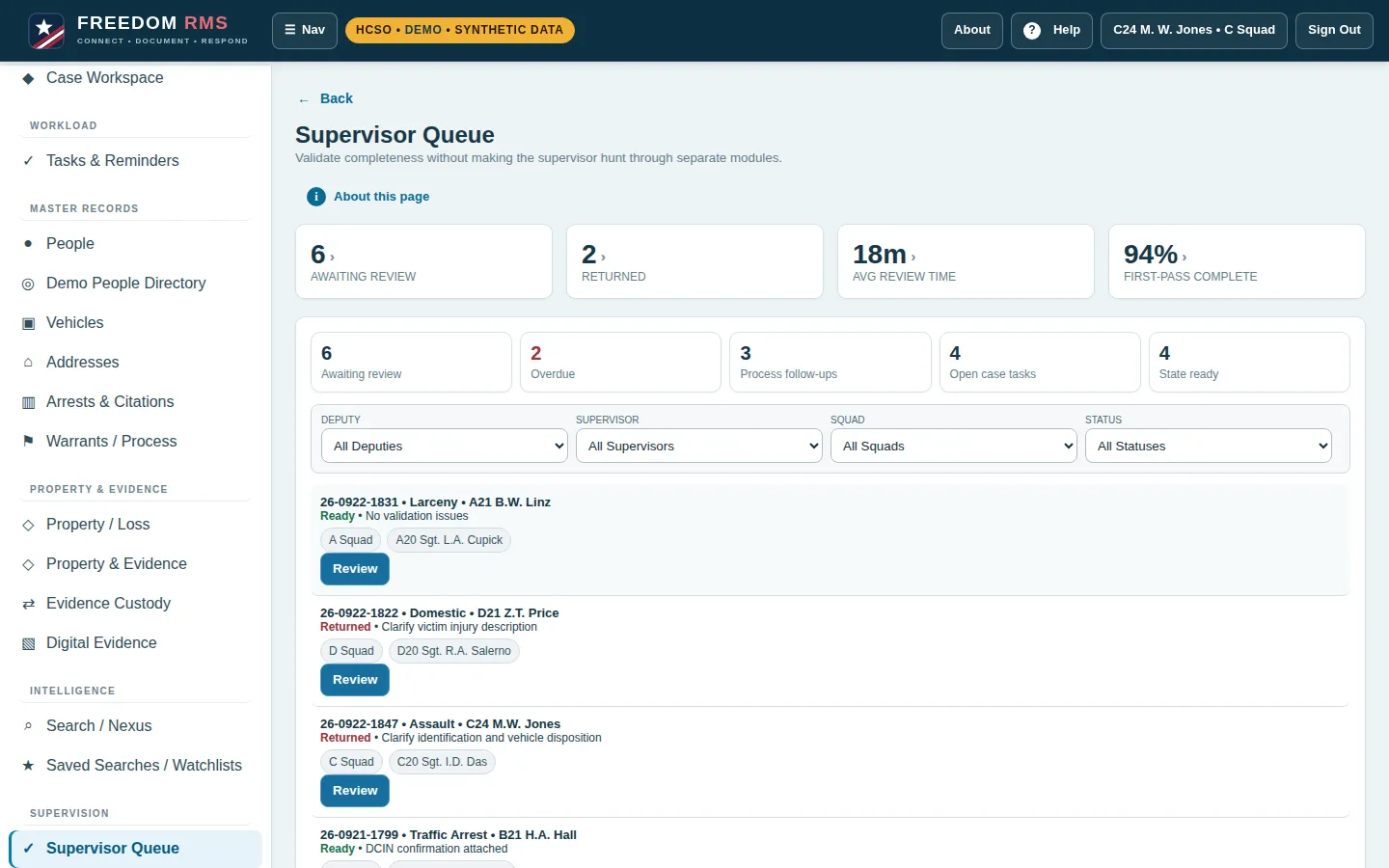
Sergeants filter by deputy, squad or status, see validation results up front, and return reports with correction notes that stay attached.
Sensitive lookups and record changes are attributable, with an admin audit view and report activity history.
Offense codes and required fields are checked while the deputy writes, so fewer reports bounce back at the end of the month.
Patrol squad schedules and rostered supervisors are visible from the same system as the work itself.
LPR & database safeguards
License-plate reader and database misuse keeps making headlines. Freedom RMS makes the right way the easy way: Flock LPR, DCIN/NCIC and DMV lookups start from a call or case, and the system runs them for the deputy.
Every lookup needs a call or case number and a stated purpose. Searches with no case number are blocked and the attempt is logged.
Plates, people and places already on the call are offered automatically, so deputies spend less time typing and do not go outside the case.
Identifiers typed in that are not on the case are flagged for supervisor review, with who ran them, when and why.
Command can show the county, the press or an auditor exactly which searches were run and for which case.
In this demo every Flock, DCIN/NCIC and DMV return is synthetic. A live connection would follow the agency's vendor agreements and state and CJIS policy.
For deputies
The same system command uses to manage the agency is designed to make a deputy's shift easier.
Prior calls, known residents, vehicles and alerts for the address — each item labeled with its source.
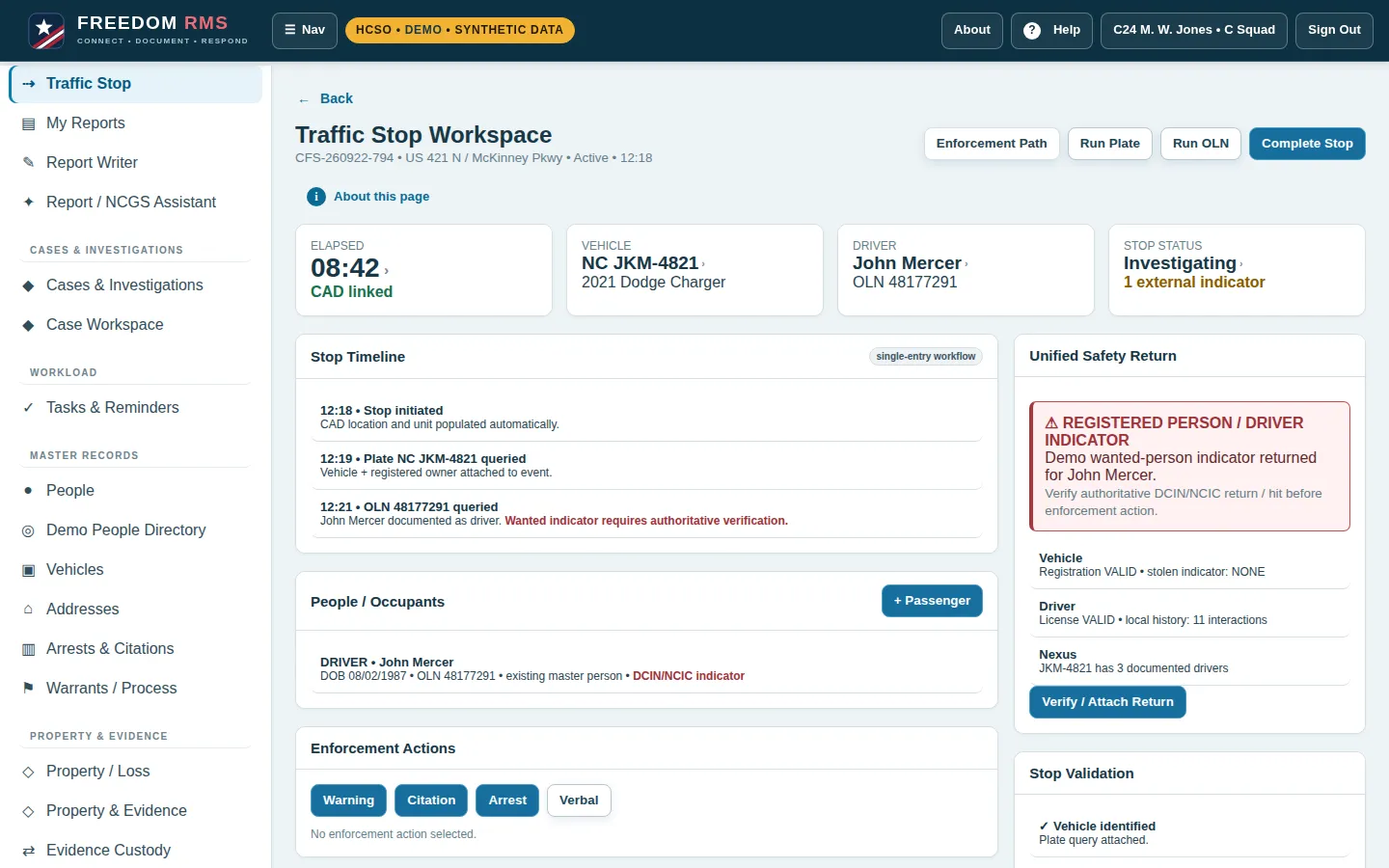
Plate and license queries, a running timeline and enforcement actions, all linked to the CAD call.
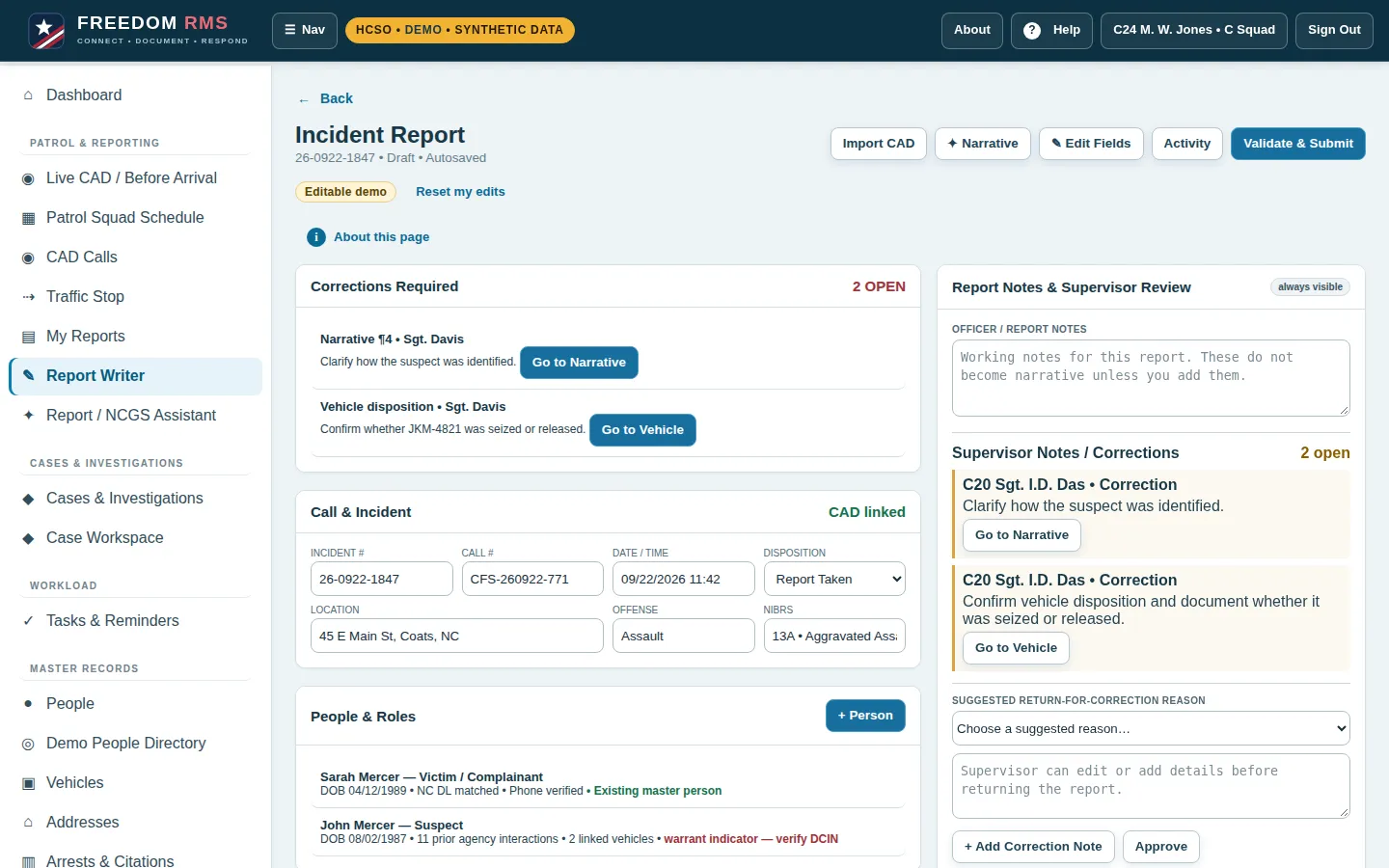
CAD details pre-filled, a guided narrative, and validation that flags what is missing before you submit.
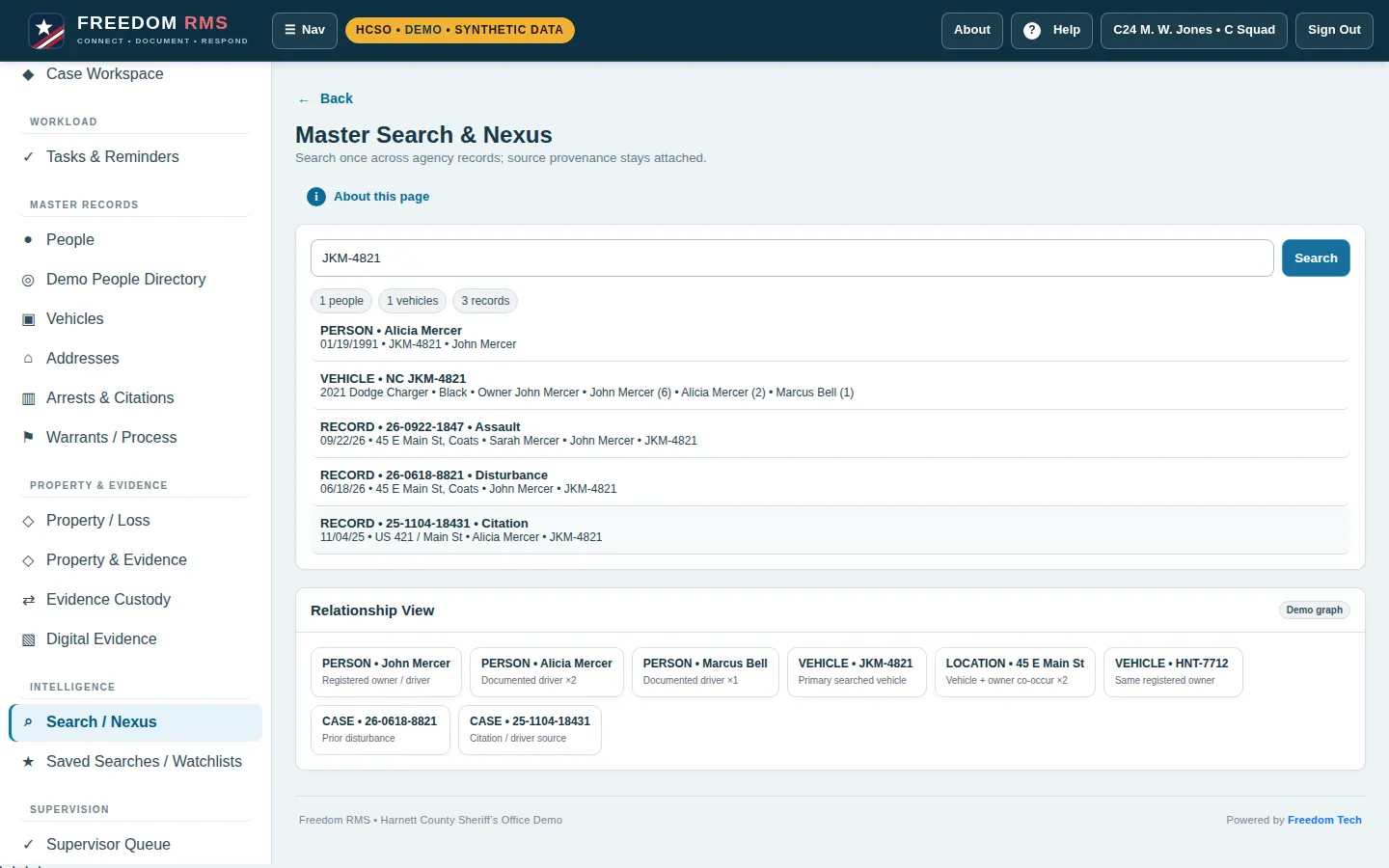
Search a name, plate or address once and see people, vehicles and records together, with how they connect.
Works on a phone or MDT: the mobile layout keeps Report, Search and Vehicle one tap away.
How it works
A CAD call arrives with location history, people and vehicles already pulled together.
The deputy sees before-arrival context and works the stop or scene from the same record.
The report starts pre-filled from CAD. Validation catches gaps while it is written.
A supervisor approves or returns it with notes. Cases, evidence and follow-ups stay linked.
What's inside
Dashboard • Live CAD / Before Arrival • Patrol Squad Schedule • CAD Calls • Traffic Stop • My Reports • Report Writer • Report / NCGS Assistant
Cases & Investigations • Case Workspace • Tasks & Reminders
People • Demo People Directory • Vehicles • Addresses • Arrests & Citations • Warrants / Process
Property / Loss • Property & Evidence • Evidence Custody • Digital Evidence
Search / Nexus • Saved Searches / Watchlists
Supervisor Queue • Integrations • Admin & Audit
Try the demo
About this demo
FAQ
Sheriff's offices and their command staff, supervisors, deputies and records staff. It is designed so the same record serves the person writing it and the people reviewing it.
No. Freedom RMS reads call information from CAD so reports and before-arrival context start pre-filled. Your dispatch system stays in place.
Yes. The layout adapts to phones, tablets and MDTs, with Report, Search and Vehicle in a bottom bar on small screens.
From the Supervisor Queue they open the report, add a correction note, and return it. The deputy sees the note on the report and a "Go to" link to the exact section.
No. Each visitor's changes stay in their own browser. A new visit starts from the original sample data, the demo resets after 30 minutes of inactivity, and "Reset demo data" in the menu restores it any time.
Flock LPR, DCIN/NCIC and DMV lookups start from a call or case with a stated purpose. Searches with no case are blocked, identifiers outside the case are flagged for supervisor review, and every query is logged.
No. Every record is synthetic and the sample agency is used for demonstration only.
Walk through the demo, then talk with Freedom Tech about your agency.